Local
Free · MIT- Runs entirely on your own computer
- Your own Grokbot drives it locally
- Tasks, escalation and lockdown, all on your machine
- The 3-hour cap still applies
Source on GitHub Coming soon
Early access · macOS and Linux
Ignore a task too long and Warden locks your computer to it. You get out when your Grokbot confirms it's done, not when you say it is.
Having trouble with a cofounder not getting done what they need to get done? A CTO stuck in product who hasn't followed up with a customer since the demo? Or one of a million other problems?
We had that problem, so we made Warden.
How it works
Warden is the enforcement layer: it puts the task on screen and holds the screen. Your Grokbot is the brain: it sets the schedule, decides what you can open, and calls it done.
Assigned
Small, in the corner. Movable, not closable.
Ignored once
Still movable. Now hard to work around.
Ignored again
Your other work is peeking out from behind it.
Ignored too long
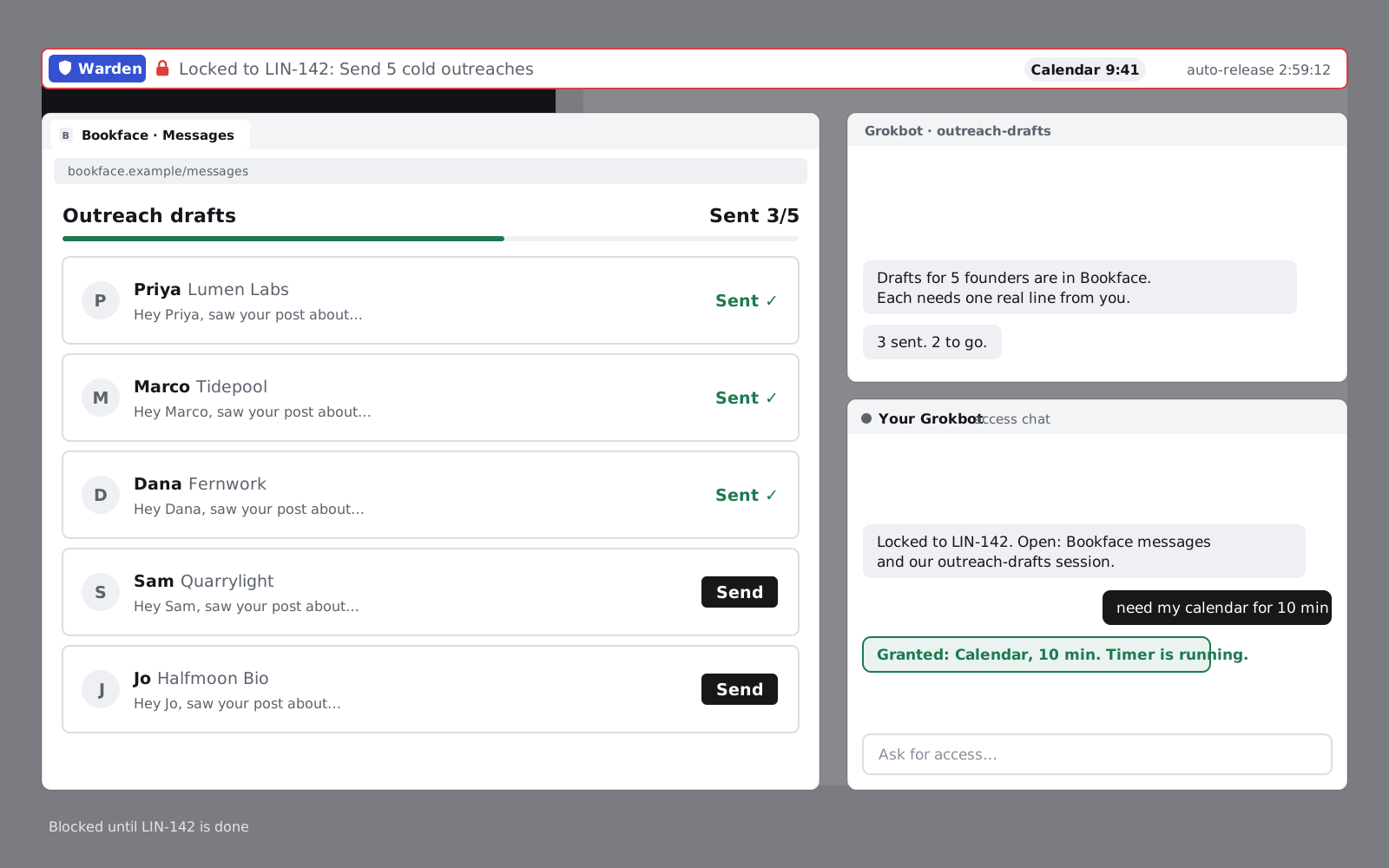
Only what the task needs: the apps, sites and agent sessions your Grokbot allows, plus the access chat.
Demo
Ignored too long, it locks. Only your Grokbot's check lets you out.
Architecture
Your Grokbot is the brain at the center. Warden schedules tasks through Linear: they're assigned there and close there. Everything else is whatever your Grokbot can reach: Airtable for CRM and outreach, your other CRM, Gmail, the YC MCP, or one of a million other things. Warden is the hands and the screen.
Connectors
The brain
The hands and screen
promptTask cardlevelEscalationlockdownAllowed apps and sitesreleaseEnds the lockdownLocal timers and the 3-hour cap run on your machine.
Cofounders assign each other tasks, Grokbots message each other, remote unlock.
On the hosted team plan, two founders' Grokbots talk to each other, so your bot can hand a task to your cofounder's bot without either of you opening a chat. Adding a connector is meant to be one click or one line; connector setup is part of early access and still being built.
Open source · Hosted for teams
Warden is open source under the MIT license. Run it alone on your own computer at no cost, or use the hosted backend so two cofounders can hold each other to it.
Source on GitHub Coming soon
Install
This is the install we're building toward: one command on macOS or Linux, then point it at your Grokbot and Linear. Windows comes later.
It isn't live yet. Warden is in early access, and builds go out by email to people on the list.
$ curl -fsSL https://ycwarden.com/install.sh | shLeave an email. We'll send a build when it's ready for your machine. No newsletter, no trackers.
Exits and trust
Normal exit
Your Grokbot checks the work, not your word: the message is in Sent, the outreach went out, the issue closed. Typing "done" in the chat doesn't count.
Safety exit
Tell the access chat what's happening. If your Grokbot recognizes a real emergency, it opens the computer back up.
Safety exit
The other cofounder can unlock you remotely, any time.
Safety exit
Every lockdown ends on its own after 3 hours. No exceptions.